2016/12/09

2015/05/01

2014/12/01
Logo design for University Chapters Biomaterials
The following logo theme I prepared as a suggestion for the University Chapters Biomaterials, State Universities of Sao Paulo (Univ. Estadual Paulista).
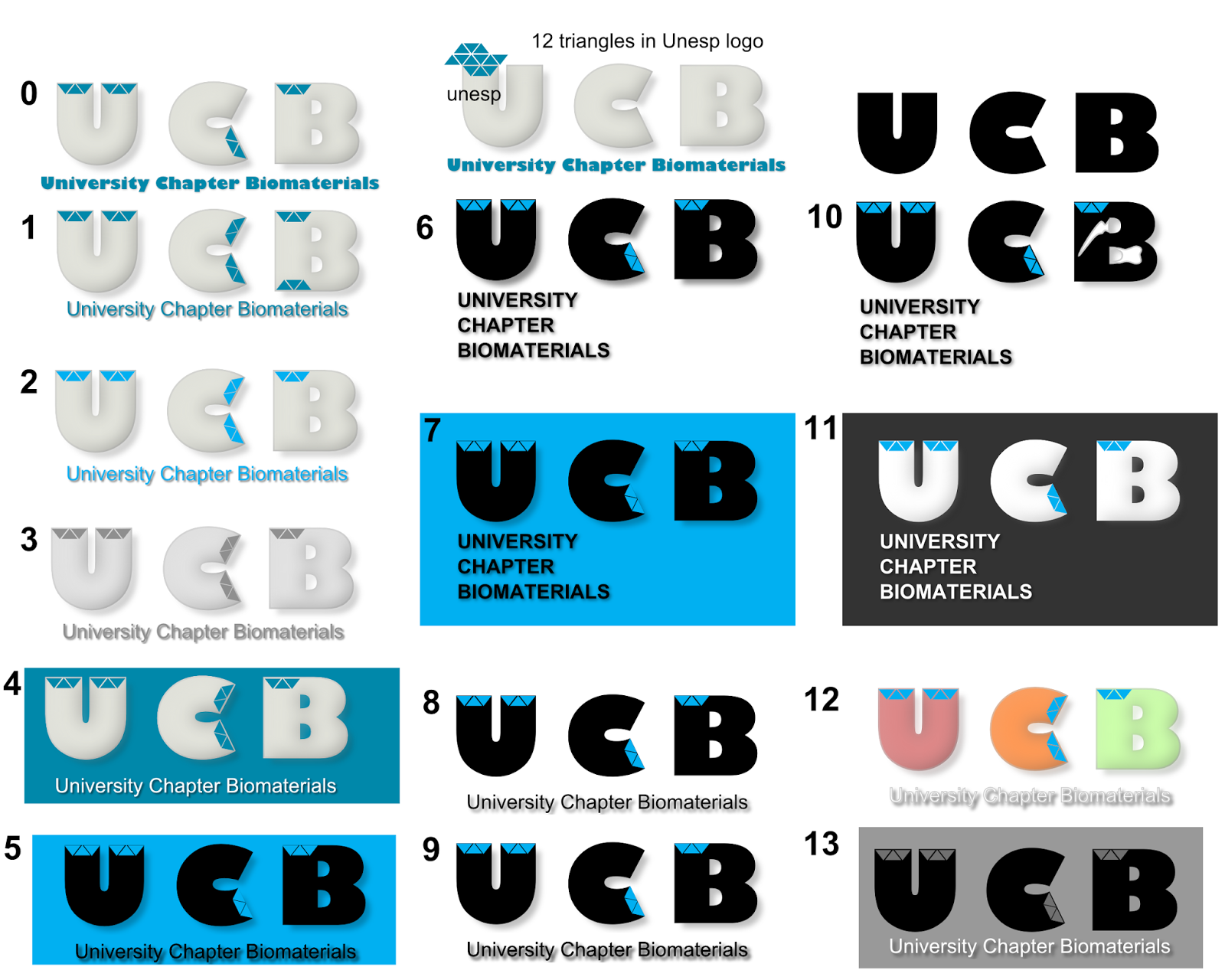
Created using Inkscape v0.48
Created using Inkscape v0.48
2014/06/21
Bug fix for G'MIC in windows 8 64bit
I heard about G'MIC while watching some GIMP tutorials in youtube. Obviously the next aim was to install this amazing plug-in, which gives you 100+ effects to an image. Although my computer is a 64 bit one, I first installed the 32 bit installation from the G'MIC official download. Installation was straight forward, but later when I opened GIMP, it gave an error message saying 'libwinpthread-1.dll' is missing. Because of this, the G'MIC was not loading in GIMP. Then I also unzipped the dll files provided in the gmic_1.5.9.3_win64.zip
But no change in the error message. A similar problem was reported in Gimp Chat, by linuxito with a 64 bit windows 7 case.
With that solution I tried renaming the (copy of)'libpthread-2.dll', which was installed in the plugin folder. This solved the problem. I've made a video of the solution for clarity. Hope it helps someone.
But no change in the error message. A similar problem was reported in Gimp Chat, by linuxito with a 64 bit windows 7 case.
With that solution I tried renaming the (copy of)'libpthread-2.dll', which was installed in the plugin folder. This solved the problem. I've made a video of the solution for clarity. Hope it helps someone.
2013/12/08
Online shopping in India with PayPal
This is just a small info, which might be useful for some of you.
There are many online shopping websites to send gifts to India, but are rare in which you can pay using PayPal. Ebay.in use something similar called PaisaPay (which is a subsidiary of PayPal, but not connected).
GiftstoIndia24x7 owned by Shaant.in network maintains a service website where you can send gifts to India and pay also using PayPal. Found it handy
Here is the link: www.giftstoindia24x7.com
Disclaimer: I've no personal interest with the above mentioned website/group. Just found it useful for myself, as I was not able to find many portals who accept paypal method for payments.
There are many online shopping websites to send gifts to India, but are rare in which you can pay using PayPal. Ebay.in use something similar called PaisaPay (which is a subsidiary of PayPal, but not connected).
GiftstoIndia24x7 owned by Shaant.in network maintains a service website where you can send gifts to India and pay also using PayPal. Found it handy
Here is the link: www.giftstoindia24x7.com
Disclaimer: I've no personal interest with the above mentioned website/group. Just found it useful for myself, as I was not able to find many portals who accept paypal method for payments.
2013/11/30
Sony viao - Windows 8 brightness issue solved
This post describes an easy method to solve the issue related to the 'display brightness auto-adjust' function in Windows 8 loaded Sony viao laptops.
The issue:
-The display brightness dims to 5% automatically within seconds, even if it is set to dim after 10 minutes.
-Changing/disabling the adaptive brighness in Windows 8 (as mentioned by howtogeek) could not solve the issue.
The solution (laptop used: Sony viao SVS1312 series):
1. Go to VIAO apps and click on the VIAO control center (if you are on the desktop, bring the cursor on the left-bottom corner for 'star' option where you can find the VIAO control center thumbnail)
 2. In the VIAO control center, click on the 'Image Quality' menu and find the 'Display Brightness' option
 3. Click on the 'Display Brightness' button from 'on' to 'off' (the green colour will change to grey)

That's it. Now you can adjust the screen brightness by clicking on the battery icon on the system tray and adjusting the values.
Write your comments if these steps did not work for you.
The issue:
-The display brightness dims to 5% automatically within seconds, even if it is set to dim after 10 minutes.
-Changing/disabling the adaptive brighness in Windows 8 (as mentioned by howtogeek) could not solve the issue.
The solution (laptop used: Sony viao SVS1312 series):
1. Go to VIAO apps and click on the VIAO control center (if you are on the desktop, bring the cursor on the left-bottom corner for 'star' option where you can find the VIAO control center thumbnail)


That's it. Now you can adjust the screen brightness by clicking on the battery icon on the system tray and adjusting the values.
Write your comments if these steps did not work for you.
2013/11/24
Ubuntu 13.04 dual boot with Windows 8 (secure boot & UEFI) succeeded
This post is an update of my earlier post, where I mentioned the issues associated with installation of Ubuntu to dual boot with Windows 8 pre-installed laptop (Sony Viao SVS1312).
After my previous attempt, as my Win8 was corrupted, leading to a completely new installation including data loss, I was bit disappointed about this secure boot and UEFI setup that microsoft arranged with the manufacturers. Especially Windows 8 pre-installed laptops, there was no way out to install any Linux distros which does not buy this 'secure boot signature' from Microsoft.
The following two ubuntu pages were very helpful in my case. A detailed reading of these pages could solve most people's problem in this regard.
1) installing-ubuntu-on-a-pre-installed-windows-8-64-bit-system-uefi-supported
2) UEFI
Finally I got some time to try once again, but this time I recorded the whole process and made a video out of it. Thanks to camstudio, audacity and virtualdub (opensource softwares) for wonderful help through these softwares.
See the video and share it. Make sure to back-up your windows 8 before any installation attempts. Please comment your results.
Some thoughts:
- Previously I was even failed in my attempt using Ubuntu 13.04 64 bit DVD, which definitely has the secure boot+UEFI key in it. Now I suppose, that could be since I had more than (or equal to) 4 primary partitions already in my hard disk.
- Or I disabled the secureboot, before running the 'boot-repair'.
- Or I simply messed up the manual partitioning in Ubuntu live mode.
I think it's a safe bet to,
- first shrink your current drive and make one block of free space in the hard disk (8 - 20 GB minimum) and let Ubuntu do the partitioning and installation automatically.
After my previous attempt, as my Win8 was corrupted, leading to a completely new installation including data loss, I was bit disappointed about this secure boot and UEFI setup that microsoft arranged with the manufacturers. Especially Windows 8 pre-installed laptops, there was no way out to install any Linux distros which does not buy this 'secure boot signature' from Microsoft.
The following two ubuntu pages were very helpful in my case. A detailed reading of these pages could solve most people's problem in this regard.
1) installing-ubuntu-on-a-pre-installed-windows-8-64-bit-system-uefi-supported
2) UEFI
Finally I got some time to try once again, but this time I recorded the whole process and made a video out of it. Thanks to camstudio, audacity and virtualdub (opensource softwares) for wonderful help through these softwares.
See the video and share it. Make sure to back-up your windows 8 before any installation attempts. Please comment your results.
Some thoughts:
- Previously I was even failed in my attempt using Ubuntu 13.04 64 bit DVD, which definitely has the secure boot+UEFI key in it. Now I suppose, that could be since I had more than (or equal to) 4 primary partitions already in my hard disk.
- Or I disabled the secureboot, before running the 'boot-repair'.
- Or I simply messed up the manual partitioning in Ubuntu live mode.
I think it's a safe bet to,
- first shrink your current drive and make one block of free space in the hard disk (8 - 20 GB minimum) and let Ubuntu do the partitioning and installation automatically.
2013/11/20
Immune sytems, T-cell activation


This work is licensed under a Creative Commons Attribution-NonCommercial-ShareAlike 3.0 Unported License.
Created using Inkscape 0.48. Please contact me for high-resolution file.
2013/11/11
GIMP and Inkscape tutorials in YouTube
VOK Studio launched a youtube channel which will upload tutorial videos on GIMP and Inkscape for beginners.
Subscribe for updates.
2013/05/17
Dual boot windows 8 and linux distros in UEFI, secure boot ...
Update: I could solve this issue in my latest attempt. You can see the steps I followed here.
This is not my artwork, but thought I must share.
Warning: I am not a Linux expert, but am just sharing some points noted during attempts to install linux dual booted with Windows 8.
This is not my artwork, but thought I must share.
Warning: I am not a Linux expert, but am just sharing some points noted during attempts to install linux dual booted with Windows 8.
This is the details of my attempts to install linux distros to dual boot with my newly bought Sony Viao SVS1312 series Windows 8 preloaded laptop.. (No success until May 2013, and my windows 8 had to be reinstalled)
The laptop is 64 bit which has an UEFI boot loader and secure boot from microsoft, which hinders installation of any other OS in the laptop (unless it contain the secure key authenticated by microsoft!).
From the linux distro forums, it is clear that Redhat and Ubuntu obtained the secure key and is able to install in any microsoft OS preloaded computer with secureboot option. Normally latest Fedora and Ubuntu, Kubuntu, Edubuntu 13.10 onwards comes with secure boot enabled key.
!! For any linux distro CD/DVD to boot, make sure (Find ways to reach your bios settings menu. 'Assist' button in case of Sony Viao laptops).
- that you enabled the boot using external drives
- make the optical drive prior to internal hard disk.
Trial 1:
- Used ubuntu 12.04, linux mint.
- Demo modes worked well in both cases.
- Warning! No ubuntu distros older than 13.10 (and latest fedore 18) have the secureboot key.
- Installation with secure boot, UEFI disabled.
Result
= Won't see windows 8 anymore, though it is there. Will not boot since UEFI disabled
- UEFI, secureboot enabled
Result
= Will directly load windows 8.
= Linux not detected as the secureboot enabled.
- UEFI enabled, secureboot disabled
Result
= Will try to load windows 8 but shows an error message (because secureboot settings).
-Disabled UEFI and secureboot to load Ubuntu and used Boot-Repair.
! Boot-Repair could not fix the problem as promised in many forums. It says the EFI partition is locked or something similar.
Trial 2:
- Used edubuntu 12.10 for 64 bit (supposed to have the secureboot key within)
- Both UEFI and secureboot disabled.
- Demo desktop worked well. This is necessary if you have a wifi internet connection. Installation without internet is also possible.
- Used install button on the desktop.
- Installation stopped abruptly at the end when checking 'grub boot loader dummy'.
- It tries to make a log file about the error and send to the developers website, but the internet connection breaks and file is not sent.
- Later also tried with UEFI enabled, secureboot disabled
Trial 3:
- Used Ubuntu 13.04 for 64 bit (also with secureboot key)
- Could boot with the DVD with UEFI, secureboot enabled!
- Crashed a few times similar to Trial 2, while installing. Same error.
- Third time the installation showed successful.
- While booting, GRUB menu showed with both Ubuntu and Windows 8 partitions.
- Ubuntu works fine if UEFI enabled, secureboot disabled.
- BUT no success with Windows 8. If opted, it shows EFI partition not found.
- Again tried Boot-Repair. But it could not fix the issue.
- Later when secureboot enabled, Windows 8 crashed completely.
- Tried all options in system recovery mode using Windows 8, no success.
- Tried fixing using command prompt. Could see all the volumes.
! No letter assigned to the EFI boot loader.
! You can assign a letter. But no further success.
! There is a directory named 'ubuntu' in the EFI partition. There are 2 files within, with strange names and hence could not delete even using force.
!!System screwed!!
!! Finally had to take it to the shop where I bought.
Note: Those who have Windows 8 laptops. Please make a bootable DVD from your system. The service centre said they will charge 60-70€ if you did not make one!!
Will update..
2012/12/17
Santa can't find his rein-deers!
So he chose a stylish way...

Serious note: This was created using svg files from molumen and netalloy in Open Clip Arts' library, and of course in Inkscape :) Hence it is in the public domain without any copyright (CC0 PD Dedication). The svg file can be downloaded and modified from Open Clip Art library.
Merry Christmas to all..

Serious note: This was created using svg files from molumen and netalloy in Open Clip Arts' library, and of course in Inkscape :) Hence it is in the public domain without any copyright (CC0 PD Dedication). The svg file can be downloaded and modified from Open Clip Art library.
Merry Christmas to all..
2012/06/12
Logo creation again...
After some gap, here is a post about two logos that I created using Inkscape. It's a powerful tool for creating svg files. Like it a lot..
 |
| Logo for CUSAT physics student's facebook community page.. Not accepted yet, though ;) |
 |
| Logo created for a friends Pilates training centre. They actually have one logo but this was a teaser to show the power of free softwares.. |
2011/04/02
Spiral abstracts using Inkscape

Here is another follow up of the tutorial from Syllie (verysimpledesigns) on Spiro swirls. Its a wonderful tutorial for any beginners. After doing some excercise on the tutorial, I end up in this,
2011/03/30
Playing around Inkscape

Here is the aftereffect of some Inkscape tutorials to create some 'urban' design. Tools used are the 3D box, spiral, gears to path and some gradients. Thanks to 'syllie' from 'verysimpledesigns'.
2011/03/28

2011/03/24
green eye!!

Inkscape this time.. Again getting some inspiration to come back to digital arts. Just a reproduction from the Inkscape official 'how to'.
2010/09/04
My (unseen) design to the chevy design contest

This is the design I would propose for the Chevrolet-ACI design contest in India. It is a concept for the next generation Tavera which is a people mover (MUV).
and its colour 'rendering',
 Here I did the colouring using GIMP (GNU Imagen Manipulation Program). Since this found interesting, I spent some more time to make some real look by adding the picture of the wheels and giving some golssy effects here and there. And the outcome,
2010/06/18

Proposed logo for CUSAT alumni

This was the logo I desgined for the alumni of my previous university. But no success ;) GIMP v2.6.6 and Inkscape 0.46.
2009/01/07
Proposed Logo for GNUSchool package
There is a lot of packages in the GNU project, which do not have a logo of their own. The GNU webpage, asks for works from GNU supporters for such creations. So I looked in to the list of packages which do not have a logo. Made logos for two of them. Currently I have designed a logo for a the GNUSchool package, for which I borrowed the source image from the work of Nicolas Rougier with his permission (Its a GPL image).
Have a look at my work and comment your suggestions. Now I am in the process of getting approval from the 'gnuschool' team and after that I can send it to the GNU webmaster for listing in their webpage.

Have a look at my work and comment your suggestions.
 Now I am in the process of getting approval from the 'gnuschool' team and after that I can send it to the GNU webmaster for listing in their webpage.
Subscribe to:
Posts (Atom)